1. Google SSL: SSL stands for Secure Socket Layer
 This is the new and in beta feature from Google. Google SSL is secure connection between your computer and Google server. Any third party can't your search queries and information. The main advantage of this service is, your search visits doesn't leave any referrer links to the visited URL. One more good feature of Google SSL is, you can speak and it types it for you. To identity whether the connection is secure or not, you need to look for the http section ashttps. The URL looks like this: https://encrypted.google.com
Learn more from Google SSL help.
2. Google as Dictionary:

Google search can be used as your fast access dictionary. Questions can be asked to Google, for example "what is Google".
Syntax:
define:WORD
what is <word>
3. Find a File-type with Google Search:

Internet has various types of files uploaded all over, like .pdf, .doc, .ppt, .pptx and so on. It is possible to list only a particular type of files on Google Search.
Syntax:
filetype:pdf
filetype:doc
filetype:ppt
word+filetype:pdf
4. Google Time in Search:
 Syntax:
time:<Contry-Name>
time:<City-Name>
This feature is a real time display of the current time throughout the world.
5. Google Map with just two words:
 Syntax:
map:<City-Name>
map:<Contry-Name>
6. Google as Calculator:
Google Search can recognize numbers and mathematical operators to perform calculation on the search bar. Some of the common and advanced maths operators recognized by Google are:
+ (Sum)
- (Subraction)
/ (Division)
* (Multiplication)
! (Factorial)
^ or ** (Exponentiation)
% (Percentage)
mod (modulo)
sine, cosine, tan, sec, cot
log, lg, ln
exp (Exponential function)

7. Google as Currency Converter:

Syntax:
<Number>Currency-to-Convert to <Converted-Currency>
8. Check the pages indexed by Google Crawlers using:
Syntax:
site:<yoursitename>
Eg:
site:blogger-zeal.blogspot.com
This feature can be used to search a particular keyword from the indexed pages:
Eg:
try "post site:blogger-zeal.blogspot.com"
It would list all the results which has the "Post" keyword in the page.
9. Google as Weather Forecast
Syntax:
weather:<city-name>
Eg:

10. Google search to check Flight status
 Syntax:
<Airlines-name> <Flight-number>
11. Search a Text in the Content:
To search a particular "Text" or "Keyword" or "Phrase" in the content of a website and not in the title, you can use:
intext:<keyword>
See the result for keyword "Blogger".
12. Search a Text in the Title:
To search a particular "Text" or "Phrase" in the titles of search results. Use-
intitle:<phrase>
13. Google Search to check the stock market.

14. Search Mp3 of a particular singer/artist/album/song.
You can easily find an MP3 song on the Internet easily by narrowing the search by using the syntax:
?intitle:index.of? mp3
Try searching for Linkin Park songs this way:
?intitle:index.of? mp3 Linkin Park
See the result
15. All the Google Logos in one page by Google.
It is nice to see all the Google Logos together.
Find the Logos.
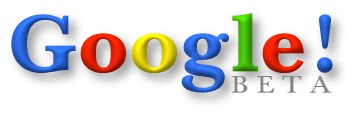
A very rare beta logo from Google.
16. Google dedication to Mothers all over the world.
A Google dedication for moms.
Find it below:
Google Moms

17. Google's Tribute to 9/11/2001 Tragedy.
Google's Tribute message to the people who met with the 9/11 tragedy.
Tribute of 9/11/2001
18. Go Green by Google.
Google Green.

19. Google MentalPlex on Fool's Day:
Fool's Day 2000 by Google.
20. Valentine's day special by Google.
Valentine's day dedication by Google to the World here.
Heart by Google.

Create Google Valentines day cards from here:
Google Valentine's day cards.
21. Rare Google Search Tips:
A good Google search Tips by the creators themselves for everyone.
22. Google Romance Search.
Sounds funny to me. This is really cool for those who are in love.
Here is Google Romance.

23. Google can search patents.
Google can scan through the thousands of patents all over the world.
Google Patents.

24. Google TiSP.
TiSP - Toilet Internet Service Provider. :)
Access Google from Toilet. LOL!!
Have a look at Google Tisp.

25. Google Gulp.
Google can now quench your thirst with knowledge. LOL..
Have a Look at Google Gulp.

26. Google Scholar.
This is an awesome search engine by Google, which can search through interesting articles and academic articles/books/magazines and many more. People do not know about Google Scholar. Here is the look.
Google Scholar.

27. Google Virgle.
"The Adventure of Many Lifetimes"
This is a 100 year plan for reaching Mars. :) It is nice to have a look at Google Virgle.

28. Customize your Google Search.
Wow, this is a good idea by Google to customize your search entries. Google Custom Search in beta stage.

29. Google cache
You can get the page last cached by the Google crawlers. It is archived by Google every time your pages are crawled. This feature can be used to check the site page, even if the site is blocked.
Get your cached page using Google cache syntax as shown below:
cache:<your-url>
Eg: cache:www.google.com
30. Search a Term in the URLs.
You can search a word or phrase in the URLs in the internet search results.
Search using syntax:
inurl:<word>
Eg:
inurl:blogger
31. Comic Version of Google Chrome.
Story line for Google Chrome by Google Chrome team.
Comic of Google Chrome.
32. Google Books.
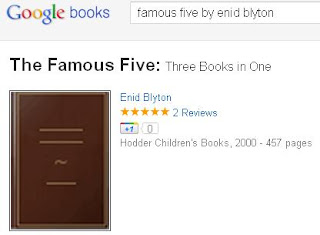
Find the latest books, old books, interesting books, their reviews. There are lots of categories and countless books in Google Directory. Check Google Books.
33. Google Products.
Do you know you can purchase your favourite products from Google itself?
Here is the link to Google Products, where you can search N number of items.http://www.google.com/products
Google can actually scan through various shopping portals using this feature.

34. Google Grants.
"In-kind advertising for non-profit organizations"
Check Google Grants.

35. Google url Shortener.
You can now shorten your lengthy URLs using Google's goo.gl

36. Explore Flu Trends around the World using Google.
"Google Flu Trends helps you to view the flu trend across globe"

37. Google is now Powered by Pigeons.
Google is now powered by Pigeons? Check this out at Google PigeonRank.
 38. Google Artificial Intelligence.
Google CADIE is the world's first "artificial intelligence" based tasked-array system.
 39. Google research.
Google news about latest Google researches happening in Google.

40. Learn Programming with Google.
Google Code is the platform to learn the codings from Google.

41. Google indroduced Gmail Paper.
Here is the new Gmail Paper. This is a new option available in Google Gmail.
You can easily request a hard copy of your message. Google will send you.
 42. Google Alerts.
Using Google Alerts, you can get email or feed alerts when a new interesting search is done by someone. The topics you wish to monitor on the web like Blogging can be tracked using Google Alerts.
 43. Google Catalogs.
Browsing through catalogs of printed materials on the internet with Google Catalogs. Available for Apple Iphones as well.

44. Smart intelligence and humour by Google Calculator.
Google can know the "Number of horns on a unicorn".
 45. Find Population using Google Search.
Syntax:
Population <Cities-in-USA/Countries>
 46. Google Timeline.
Know the Google history with their milestones in an Interactive Timeline manner on Google Timeline.
Check the Google history page as well.
 47. Google's Unset History.
The Google unset timeline is an archive which is maintained by Google for 20 long years.

48. People going mad searching Britney Spears. A funny one!! lol..
Google has recorded people making mistakes while searching their star this way.Google mistakes for Britney.
49. Original images of Lary Page and other Important people of Google.
You can download the original images maintained by Google from their website.
50. All other features I might have missed out here.
Find the other features here.
Thanks for reading my article. Hope you liked them. Please share your views, ideas, anything missed out, and suggestions.
Learn more from Google SSL help.
2. Google as Dictionary:
Google search can be used as your fast access dictionary. Questions can be asked to Google, for example "what is Google".
Syntax:
define:WORD
what is <word>
3. Find a File-type with Google Search:
Internet has various types of files uploaded all over, like .pdf, .doc, .ppt, .pptx and so on. It is possible to list only a particular type of files on Google Search.
Syntax:
filetype:pdf
filetype:doc
filetype:ppt
word+filetype:pdf
4. Google Time in Search:
time:<Contry-Name>
time:<City-Name>
This feature is a real time display of the current time throughout the world.
5. Google Map with just two words:

map:<City-Name>
map:<Contry-Name>
6. Google as Calculator:
Google Search can recognize numbers and mathematical operators to perform calculation on the search bar. Some of the common and advanced maths operators recognized by Google are:
+ (Sum)
- (Subraction)
/ (Division)
* (Multiplication)
! (Factorial)
^ or ** (Exponentiation)
% (Percentage)
mod (modulo)
sine, cosine, tan, sec, cot
log, lg, ln
exp (Exponential function)
7. Google as Currency Converter:
Syntax:
<Number>Currency-to-Convert to <Converted-Currency>
8. Check the pages indexed by Google Crawlers using:
Syntax:
site:<yoursitename>
Eg:
site:blogger-zeal.blogspot.com
This feature can be used to search a particular keyword from the indexed pages:
Eg:
try "post site:blogger-zeal.blogspot.com"
It would list all the results which has the "Post" keyword in the page.
9. Google as Weather Forecast
Syntax:
weather:<city-name>
Eg:
10. Google search to check Flight status
<Airlines-name> <Flight-number>
11. Search a Text in the Content:
To search a particular "Text" or "Keyword" or "Phrase" in the content of a website and not in the title, you can use:
intext:<keyword>
See the result for keyword "Blogger".
12. Search a Text in the Title:
To search a particular "Text" or "Phrase" in the titles of search results. Use-
intitle:<phrase>
13. Google Search to check the stock market.
14. Search Mp3 of a particular singer/artist/album/song.
You can easily find an MP3 song on the Internet easily by narrowing the search by using the syntax:
?intitle:index.of? mp3
Try searching for Linkin Park songs this way:
?intitle:index.of? mp3 Linkin Park
See the result
15. All the Google Logos in one page by Google.
It is nice to see all the Google Logos together.
Find the Logos.
A very rare beta logo from Google.
16. Google dedication to Mothers all over the world.
A Google dedication for moms.
Find it below:
Google Moms
17. Google's Tribute to 9/11/2001 Tragedy.
Google's Tribute message to the people who met with the 9/11 tragedy.
Tribute of 9/11/2001
18. Go Green by Google.
Google Green.

19. Google MentalPlex on Fool's Day:
Fool's Day 2000 by Google.
20. Valentine's day special by Google.
Valentine's day dedication by Google to the World here.
Heart by Google.
Create Google Valentines day cards from here:
Google Valentine's day cards.
21. Rare Google Search Tips:
A good Google search Tips by the creators themselves for everyone.
22. Google Romance Search.
Sounds funny to me. This is really cool for those who are in love.
Here is Google Romance.

23. Google can search patents.
Google can scan through the thousands of patents all over the world.
Google Patents.

24. Google TiSP.
TiSP - Toilet Internet Service Provider. :)
Access Google from Toilet. LOL!!
Have a look at Google Tisp.

25. Google Gulp.
Google can now quench your thirst with knowledge. LOL..
Have a Look at Google Gulp.

26. Google Scholar.
This is an awesome search engine by Google, which can search through interesting articles and academic articles/books/magazines and many more. People do not know about Google Scholar. Here is the look.
Google Scholar.
27. Google Virgle.
"The Adventure of Many Lifetimes"
This is a 100 year plan for reaching Mars. :) It is nice to have a look at Google Virgle.

28. Customize your Google Search.
Wow, this is a good idea by Google to customize your search entries. Google Custom Search in beta stage.
29. Google cache
You can get the page last cached by the Google crawlers. It is archived by Google every time your pages are crawled. This feature can be used to check the site page, even if the site is blocked.
Get your cached page using Google cache syntax as shown below:
cache:<your-url>
Eg: cache:www.google.com
30. Search a Term in the URLs.
You can search a word or phrase in the URLs in the internet search results.
Search using syntax:
inurl:<word>
Eg:
inurl:blogger
31. Comic Version of Google Chrome.
Story line for Google Chrome by Google Chrome team.
Comic of Google Chrome.
32. Google Books.
Find the latest books, old books, interesting books, their reviews. There are lots of categories and countless books in Google Directory. Check Google Books.
33. Google Products.
Do you know you can purchase your favourite products from Google itself?
Here is the link to Google Products, where you can search N number of items.http://www.google.com/products
Google can actually scan through various shopping portals using this feature.
34. Google Grants.
"In-kind advertising for non-profit organizations"
Check Google Grants.

35. Google url Shortener.
You can now shorten your lengthy URLs using Google's goo.gl

36. Explore Flu Trends around the World using Google.
"Google Flu Trends helps you to view the flu trend across globe"
37. Google is now Powered by Pigeons.
Google is now powered by Pigeons? Check this out at Google PigeonRank.

Google CADIE is the world's first "artificial intelligence" based tasked-array system.

Google news about latest Google researches happening in Google.
40. Learn Programming with Google.
Google Code is the platform to learn the codings from Google.

41. Google indroduced Gmail Paper.
Here is the new Gmail Paper. This is a new option available in Google Gmail.
You can easily request a hard copy of your message. Google will send you.

Using Google Alerts, you can get email or feed alerts when a new interesting search is done by someone. The topics you wish to monitor on the web like Blogging can be tracked using Google Alerts.

Browsing through catalogs of printed materials on the internet with Google Catalogs. Available for Apple Iphones as well.
44. Smart intelligence and humour by Google Calculator.
Google can know the "Number of horns on a unicorn".

Syntax:
Population <Cities-in-USA/Countries>
Know the Google history with their milestones in an Interactive Timeline manner on Google Timeline.
Check the Google history page as well.
The Google unset timeline is an archive which is maintained by Google for 20 long years.

48. People going mad searching Britney Spears. A funny one!! lol..
Google has recorded people making mistakes while searching their star this way.Google mistakes for Britney.
49. Original images of Lary Page and other Important people of Google.
You can download the original images maintained by Google from their website.
50. All other features I might have missed out here.
Find the other features here.
Thanks for reading my article. Hope you liked them. Please share your views, ideas, anything missed out, and suggestions.